Too Many Terminals? One Payment System Simplifies Every Checkout Transaction
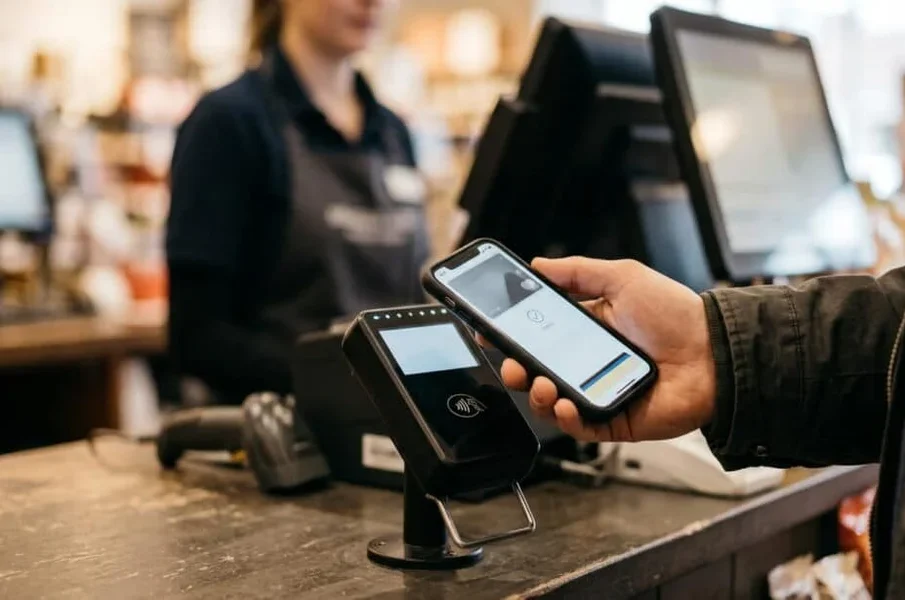
Behind many checkout counters sits a tangle of mismatched hardware. One reader takes cards; a second handles wallets. Another unit prints receipts. Each device brings its own contract, login, and settlement report. For a busy store, that clutter costs time at every sale. A single pos payment system swaps that patchwork for one workflow. Fewer machines mean faster lines and cleaner books. Staff learn one screen, and fees become easier to track. Even stock data moves with each transaction.
Duplicate Terminals Quietly Drain Store Budgets
Every extra terminal carries hidden baggage. Rental fees, service contracts, and licenses pile up monthly. Each vendor also sends separate invoices and support numbers. Fuel stations offer a clear example. Some once kept dedicated devices purely for fleet cards. Merging those readers cut duplicate support agreements. Still, hardware savings are only the visible part of the picture.
Why Does Switching Between Devices Slow Checkout?
Each handoff between machines adds seconds. During a lunch rush, those seconds stretch into visible lines. Common friction points look like this:
- Cashiers re-enter totals on a separate card reader.
- Wallet payments demand a different screen and login.
- Mismatched amounts trigger voids and repeated card swipes.
- Shoppers wait while a frozen device reconnects.
One Ledger Makes Daily Reconciliation Simpler
Closing time exposes the real cost of fragmentation. Finance teams match card batches against wallet statements manually. A unified pos payment system logs every tender together. Sales, refunds, and tips share a single report. Errors surface early since no one cross-checks vendor files. That saved hour compounds across every location.
Can Connected Data Sharpen Inventory Decisions?
It can, because payments and stock stop living apart. Once both share a platform, inventory updates with each sale. A boutique might spot a jacket selling out downtown. Managers can then move stock before shelves empty. Returns work across channels, too, including online orders brought in-store.
Does One Screen Shorten Staff Training?
New hires master one screen instead of four. Errors drop once nobody guesses which device suits which payment. With a single interface, staff can:
- Accept cards, wallets, and taps.
- Process refunds without manager approval.
- Split bills between guests quickly.
- Apply discounts from one menu.
From Fleet Card Readers to Clean Counters
Retiring a fleet card reader seems like minor housekeeping. Yet each removed device shifts more data toward one provider. Under a single platform, every transaction runs through that partner. Such concentration brings clarity, but also dependence. Before consolidating, owners should confirm data exports and exit terms. A tidy counter matters only while the business still owns its records.
FAQs
Can one terminal accept cards, wallets, and contactless taps?
Modern unified terminals read chips, NFC taps, and mobile wallets. Swipe support remains available for older magnetic-stripe cards.
Does switching systems disrupt daily store operations?
Providers can stage the rollout one register at a time. Data migration can run overnight, keeping checkout lanes open.
Will a unified setup work with existing accounting software?
Leading platforms connect with common accounting and ERP tools. Owners should still confirm specific integrations before signing.
Is a single provider riskier than several vendors?
Concentration simplifies operations but limits bargaining leverage. Clear exit clauses and data export rights reduce that risk.